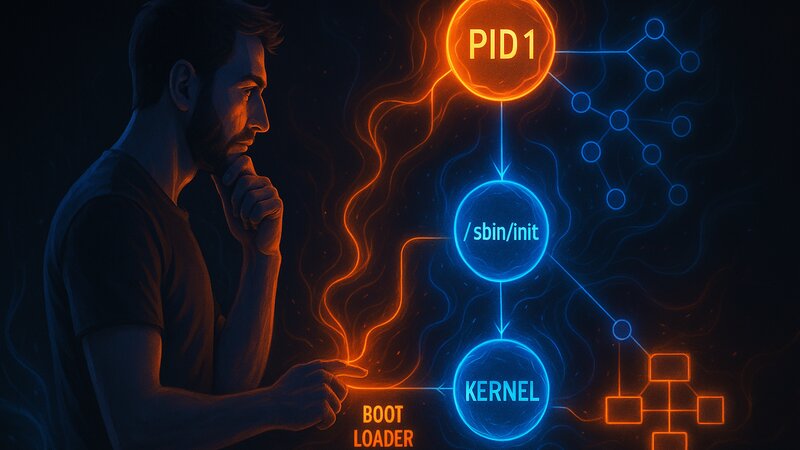
Services are programs that run in the background without direct user interaction. An SSH server waits for incoming connections, a web server delivers pages, and a database processes requests. The init system starts these services during boot and keeps them running.
Services and Daemons
The terms service and daemon describe the same concept with different nuances:
Daemon:
In the Unix tradition, background processes are called daemons. The name comes from the Greek daimones—helpful spirits that work invisibly in the background. Daemon programs often end with a d: sshd (SSH daemon), httpd (HTTP daemon), crond (Cron daemon).
Service:
A modern term for managed background processes. Services are controlled by the init system—they are started, stopped, and monitored. A service is more than just a running process: it knows its dependencies, its configuration, and its state.
Difference from Regular Processes:
Regular processes are connected to a terminal. When the user logs out, the system terminates these processes. Services run independently of user sessions. They start automatically during boot and continue running until shutdown.
Technically, a daemon detaches itself from the controlling terminal through specific system calls (setsid(), fork()). The init system takes over management—the daemon does not have to daemonize itself.
Understanding Service States
Every service is in a specific state. These states are similar across different init systems:
Running:
The service is active and processing requests. An SSH server in the Running state accepts connections. The process is visible in the process list and consumes system resources.
Stopped:
The service is stopped—no process is running. A stopped web server does not deliver any pages. Stopped services consume no CPU or RAM, only disk space for their program files.
Failed:
The service is supposed to be running but has crashed or could not start. A Failed state indicates configuration errors, missing dependencies, or software bugs. The init system typically attempts an automatic restart.
Enabled:
The service starts automatically during boot. Enabled says nothing about the current state—a service can be enabled but stopped. The enabled configuration persists across reboots.
Disabled:
The service does not start automatically during boot. Disabled services can still be started manually, but they do not start by themselves after a reboot. This is useful for services that are only needed occasionally.
Masked:
A stronger form of Disabled—the service can be started neither manually nor automatically. Masking prevents problematic services from being started accidentally. It is rarely needed but is available for special scenarios.
A service can be both enabled and stopped at the same time: it will start during the next boot, but it is not currently running. Or it can be disabled and running: it is running now but will not start automatically during the next boot.
Automatic Startup Concepts
The init system decides which services start automatically during boot. This decision is based on configuration and dependencies.
Persistent Configuration:
Init systems store automatic startup information differently. systemd uses symbolic links in /etc/systemd/system/, SysV init uses runlevel directories, and OpenBSD uses the /etc/rc.conf file. The storage mechanism differs, but the concept remains the same: a list of enabled services.
Boot Target or Runlevel:
Different system modes define different sets of active services. A server system in multi-user mode starts SSH and databases, but no graphical environment. A desktop system additionally starts display managers and desktop services. The selected target determines which services are active.
Dependency-Based Startup:
Modern init systems start services based on dependencies. A web server that requires a database starts only after the database is available. The init system resolves these dependencies automatically. The next article in this series covers dependencies in detail.
Default Configuration vs. Administrator Decisions:
Package installations often enable services automatically. An installed SSH server starts during the next boot. These defaults are convenient but may be undesirable. Administrators manually disable unnecessary services to reduce the attack surface and resource consumption.
Service Operations
Managing services involves fundamental operations that work similarly across init systems:
Start:
Starts a stopped service. The init system executes the service binary, sets environment variables, and passes configuration files. After a successful start, the service changes from Stopped to Running. If errors occur, the state remains Failed.
Stop:
Stops a running service in a controlled manner. The init system sends the service process a SIGTERM signal. The service can perform cleanup tasks—close connections, save data, and remove temporary files. After a timeout (typically 90 seconds), the init system forces termination with SIGKILL.
Restart:
Combines Stop and Start. Useful after configuration changes that require a restart. A web server must restart after SSL certificate changes to load the new certificates.
Reload:
Reloads the configuration without stopping the service. This works via the SIGHUP signal. Not all services support Reload—some require a full Restart. An Nginx reload updates the virtual host configuration without terminating existing connections.
Enable/Disable:
Enables or disables automatic startup during boot. This does not change the current state—a running service continues running after being disabled, but it will not start during the next boot. A stopped service starts automatically during the next boot after being enabled.
Status Query:
Displays the current service state, process ID, memory usage, and the most recent log entries. Status information helps with troubleshooting—a service that is constantly restarting indicates configuration problems.
Log Access and Monitoring
Services write logs for debugging and monitoring. The way logs are stored differs between systems, but the concepts remain similar:
Traditional Text Logs:
Classic Unix systems write logs as text files. System logs are stored in /var/log/messages or /var/log/syslog, while service-specific logs are stored in separate files such as /var/log/nginx/access.log. Text logs can be read with standard tools such as grep, tail, and less.
Binary Logs:
systemd stores logs in binary form using journald. Binary logs enable structured queries by time period, service, or priority. Reading them requires specialized tools—a journald log cannot be viewed directly with less.
Log Rotation:
Services continuously generate log entries. Without management, logs eventually fill the disk. Log rotation archives older logs in compressed form and deletes very old entries. Rotation can be time-based (daily, weekly) or size-based (rotate at 100 MB).
Priority Levels:
Logs have different levels of importance. Debug logs contain detailed program flow information. Info logs document normal events. Warning logs indicate potential problems. Error logs signal failures. Critical logs identify situations that threaten the system. Filtering by priority reduces log volume.
Real-Time Monitoring:
Live logs display events as they happen, similar to tail -f on text files. This is useful when testing configuration changes because their effects become visible immediately.
Process Monitoring and Automatic Restart
Services can crash because of software bugs, memory shortages, or network problems. The init system monitors services and reacts to failures:
Crash Detection:
The init system detects when a service process terminates unexpectedly. An SSH server exiting with status code 1 signals an error. The init system distinguishes between a clean shutdown (exit code 0) and a crash (any other exit code).
Restart Policies:
Configurable restart strategies define how crashes are handled. “Always” restarts the service after every crash. “On-Failure” restarts it only after failures, not after a clean stop. “Never” leaves the decision to the administrator.
Restart Delays and Backoff:
Restarting immediately after a crash can result in restart loops. A service that immediately crashes again because of a configuration error enters an endless cycle. Restart delays increase the waiting period between restart attempts—1 second, 2 seconds, 4 seconds. After the service has been running successfully for a certain period (for example, 60 seconds), the delay is reset.
Restart Limits:
Unlimited restart attempts can hide underlying problems. Limits stop restart attempts after a defined number of failures or within a defined time period. A service that crashes five times within ten minutes remains stopped. The administrator must resolve the problem before the service starts again.
Health Checks:
Advanced monitoring concepts verify not only that a process exists but also that the service is functioning correctly. A web server process may still be running while no longer responding to requests. Health checks send test requests—if they time out, the service is considered failed.
Socket Activation and On-Demand Startup
Modern init systems start services when they are needed instead of during boot.
Concept:
The init system listens on the service port and starts the actual service only when an incoming connection arrives. This reduces boot time and resource consumption. Services that are rarely used consume no memory until they are needed.
Transparency:
Clients notice no difference. The first connection takes slightly longer because the service must start, while subsequent connections work normally. After a period of inactivity, the init system can stop the service and restart it when necessary.
Use Cases:
This approach is useful for services that are used infrequently. A print service used only once a week does not need to run continuously. Critical services such as SSH should run permanently—socket activation provides no practical benefit here and only increases complexity.
Practical Scenarios
These concepts appear in everyday situations:
Service Does Not Start:
The cause is often related to dependencies or configuration. Status queries show the Failed state. Logs contain error messages—for example, a missing configuration file, a port that is already in use, or a permissions problem.
Service Crashes Repeatedly:
Restart loops indicate systematic problems. Too many restarts within a short period trigger restart limits. Logs reveal the cause of the crash—out of memory conditions, database connection failures, or bugs in the service code.
Automatic Startup Does Not Work:
The service starts manually but not during boot. In most cases, it has not been enabled or its dependencies are not satisfied. Check the enabled configuration and examine the dependency chain.
Performance Problems During Boot:
Too many services slow down the boot process. The order in which services start affects boot time. Disabling unnecessary services speeds up startup. The next article explains how dependencies influence the startup order.
Software and Versions Used
This guide applies to:
- Unix/Linux systems: General service management concepts
- Context: Distribution-independent — systemd, SysV init, BSD init
- Version: October 2025