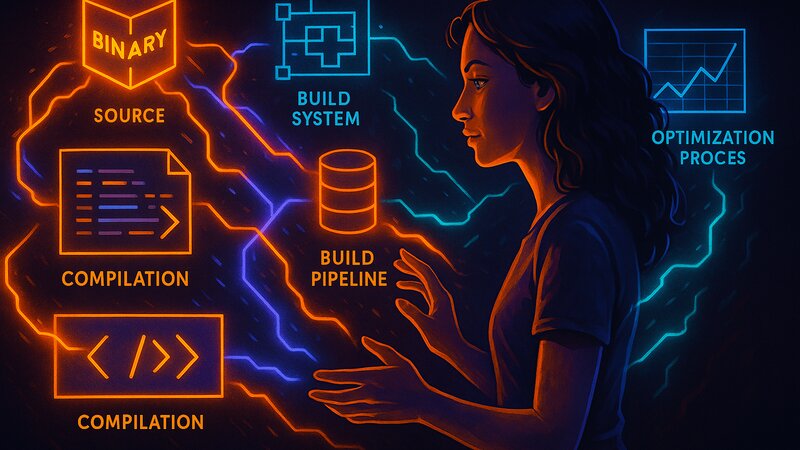
Software exists as source code (human-readable) and binary code (machine-executable). Most distributions distribute binary packages—precompiled software that runs immediately. Source packages contain the original code and build instructions. The user compiles the software locally, producing optimized binaries for their specific system.
The choice between binaries and source code affects installation speed, system customization, and maintenance effort. Debian and Red Hat-based systems prefer binary packages. Gentoo compiles from source by default. Arch provides both options—official binary packages and AUR source builds.
Binary Packages: Precompiled Software
A binary package contains executable programs, libraries, and resource files. The package maintainer has compiled, tested, and packaged the software on build servers. The user downloads the finished package and installs it—no compilation required.
Binary packages are architecture-specific. An nginx_amd64.deb package runs only on x86-64 processors. ARM systems require nginx_arm64.deb. The distribution builds packages for every supported architecture—amd64, arm64, i386, armhf. Multi-architecture repositories host all variants in parallel.
The installation process is straightforward: download the package, extract it, copy the files to their intended locations. A 50 MB package installs in seconds. No CPU load, no RAM consumption for compilation. Servers with hundreds of packages are ready for use within minutes.
Binary packages follow distribution standards. Debian compiles using specific GCC flags and enables or disables selected features. Every Debian user receives identical binaries—consistent behavior and predictable performance. Bug reports always refer to clearly defined versions.
Source Packages: Compile It Yourself
A source package contains C/C++/Rust files, build scripts, and patches. The user downloads the source code, configures the build options, and compiles it on the local system. The result is a binary package optimized for the specific hardware.
Gentoo users know this workflow as the default. An emerge nginx command downloads the source code, compiles it using system-specific USE flags, and installs the resulting binary. The process takes longer—nginx compiles in 2–5 minutes, while large software such as Firefox takes hours.
Source compilation allows customization. Features can be enabled or disabled: nginx with or without SSL, with HTTP/3 support or without it. The user chooses which modules are built. The resulting binary is smaller and faster because it contains only the required functionality.
CPU-specific optimizations are also possible. An AMD Ryzen 9 supports different instruction sets than an Intel i5 from 2015. GCC can optimize for the exact CPU—AVX2, SSE4.2, and processor-specific branch prediction strategies. Binary packages target the lowest common denominator across all supported CPUs.
Package Formats and Structure
Binary packages use format-specific containers. Debian uses .deb (ar archives containing tar.gz/tar.xz files), Red Hat uses .rpm (cpio archives with metadata). Arch uses .pkg.tar.zst (simple tar archives with zstd compression). OpenBSD uses .tgz packages (tar.gz).
A .deb package consists of three main parts: control.tar.gz (metadata and installation scripts), data.tar.xz (the actual files), and debian-binary (the format version). Extracting the package reveals the structure:
nginx_1.24.0-1_amd64.deb
├── debian-binary
├── control.tar.gz
│   ├── control
│   ├── md5sums
│   ├── postinst
│   └── prerm
└── data.tar.xz
    ├── usr/sbin/nginx
    ├── etc/nginx/nginx.conf
    └── lib/systemd/system/nginx.service
The control file describes the package: name, version, dependencies, and maintainer. postinst and prerm are shell scripts that run after installation and before removal, respectively. data.tar.xz contains the actual program files.
Source packages have a simpler structure. Gentoo ebuilds are shell scripts containing build instructions. Arch PKGBUILD files define source URLs, dependencies, and compilation commands. OpenBSD Ports consist of Makefiles with Fetch, Configure, and Build targets.
Compilation Process and Build Systems
Software compilation follows a standard sequence: Configure → Compile → Install. The configure script checks system requirements, detects available libraries, and generates Makefiles. Make compiles the source code into object files and links them into executable binaries. Make install copies the binaries to their destination locations.
The classic ./configure && make && make install sequence is the manual workflow. Distributions automate this through build systems. Debian provides dpkg-buildpackage and debhelper, Arch uses makepkg, and Gentoo uses ebuild. These tools consistently handle dependencies, patches, and compilation flags.
Build systems isolate compilation environments. Debian builds packages in clean chroot environments—without access to the host system and with only the declared build dependencies available. This guarantees reproducible builds—two compilations with identical input produce bit-for-bit identical binaries.
Cross-compilation creates binaries for different architectures. An amd64 system can build arm64 binaries using cross-compiler toolchains. Distributions operate build farms—hundreds of servers compiling packages in parallel for multiple architectures. A package update triggers builds for amd64, arm64, armhf, and i386 simultaneously.
Build Flags and Optimizations
GCC and Clang accept optimization flags: -O0 (no optimization), -O2 (standard balance), -O3 (aggressive optimization), and -Os (size optimization). Distributions choose a balance between performance and compatibility—typically -O2.
CPU-specific flags enable instruction sets: -march=native uses every feature available on the local CPU, while -march=x86-64-v2 targets processors released from 2009 onward. Aggressive flags such as -march=znver3 (AMD Ryzen 5000) produce binaries that crash on Intel processors.
Link-Time Optimization (LTO) analyzes the entire program during the linking stage and optimizes across module boundaries. This increases compilation time by 50–200% while improving performance by 5–15%. Distributions enable LTO selectively—critical packages receive LTO, while others do not.
Hardening flags improve security. -fstack-protector-strong protects against buffer overflows, -D_FORTIFY_SOURCE=2 strengthens string handling functions, and -fPIE enables position-independent executables. Modern distributions enable these options by default, reducing performance by approximately 1–3%.
Binary Packages: Advantages and Trade-Offs
Binary packages install quickly. A complete desktop system containing 2,000 packages installs in 10–15 minutes. No CPU load or RAM is consumed during compilation. Laptops and low-power servers benefit through reduced battery usage and lower heat generation.
Uniform binaries simplify support. Bug reports refer to clearly defined versions. Reproducible issues are easier to debug because maintainers compile with identical flags and obtain identical binaries. Community support also benefits—“nginx 1.24.0 on Debian Bookworm” describes a precisely defined environment.
The trade-off is that binaries are optimized for average hardware. A CPU from 2015 and one from 2024 receive identical binaries, even though the newer processor could be 30% faster with CPU-specific optimizations. Features are often disabled as well—Debian builds with conservative default options, leaving experimental functionality disabled.
Security updates become available quickly. A critical bug in OpenSSL results in new binary packages within hours. Distributions build, test, and publish the updates. Users simply download and install them. With source-based builds, every user would have to recompile the affected software.
Source Packages: Advantages and Trade-Offs
Source compilation maximizes performance. CPU-specific optimizations use every available hardware feature. nginx running on an AMD Ryzen 9 performs 10–15% faster than a generic binary. Databases and compilers benefit particularly because compute-intensive software gains the most from optimization.
Feature control is precise. An nginx build without IPv6 support is smaller and has a reduced attack surface. PostgreSQL without JSON functionality is simpler to maintain. The user decides which modules are required, and the resulting binary contains only the selected functionality.
The effort is substantial. Building an entire system takes hours or even days. Chromium requires 8–12 hours to compile on average hardware. Updates require recompilation—a security patch in a core library can trigger rebuilds for hundreds of packages.
Disk space requirements during compilation are significant. Source code, temporary build files, and compiler toolchains consume gigabytes of storage. Building Chromium requires approximately 40 GB of temporary disk space. Build dependencies, including header files and compilers, remain installed even if they are needed only for building software.
Distribution Philosophies
Debian focuses on binary packages and stability. Package maintainers compile, thoroughly test, and sign packages. Users receive reliable, pretested software. Building from source is possible (apt-get source) but rarely necessary.
Gentoo favors source code and maximum control. The Portage system compiles everything locally. USE flags define features system-wide—USE="ssl -ipv6 pulseaudio" enables SSL, disables IPv6, and enables PulseAudio. Every package respects these flags during compilation.
Arch provides binary packages by default and source builds through the AUR. The official repositories contain precompiled packages for fast installation. The AUR (Arch User Repository) supplies PKGBUILD scripts, allowing users to compile software themselves and control build options.
OpenBSD combines both approaches elegantly. The base system is distributed as binaries—complete operating system tar.gz sets. Packages (additional software) are available as binaries. The Ports Collection provides source code with Makefiles, allowing users to customize and compile software themselves.
Hybrid Approaches: AUR and Ports
The Arch User Repository is community-maintained. Users write PKGBUILD scripts and share them publicly. There is no official review—the community votes and comments instead. Popular packages are generally well maintained, while obscure packages become outdated more easily.
A PKGBUILD is a shell script:
pkgname=example
pkgver=1.0.0
source=("https://example.org/example-1.0.0.tar.gz")
sha256sums=('abc123...')

build() {
    cd "$pkgname-$pkgver"
    ./configure --prefix=/usr
    make
}

package() {
    cd "$pkgname-$pkgver"
    make DESTDIR="$pkgdir/" install
}
The user downloads the PKGBUILD and runs makepkg -si. The source code is downloaded, compiled, packaged into a .pkg.tar.zst file, and installed. The entire process is transparent—anyone can inspect the PKGBUILD and understand exactly what is being built.
OpenBSD Ports work in a similar way. A port consists of a Makefile with Fetch, Configure, and Build targets. The Ports Collection contains tens of thousands of ports, all of which can be compiled locally. Binary packages are available for convenience, while Ports provide customization.
FreeBSD Ports provide configuration dialogs. Running make config displays checkboxes for enabling or disabling features. The selected options are saved and honored during future updates. The system remembers choices such as “nginx with HTTP/3, without the mail proxy.”
Reproducible Builds
Two compilations of identical source code should produce bit-for-bit identical binaries. In practice, builds often differ because of timestamps embedded in binaries, different compiler versions, or random memory layouts. Reproducible builds eliminate these sources of nondeterminism.
Debian has been working on reproducible builds for years. More than 95% of its packages are now reproducible—two independent compilations generate identical binaries. This enables verification: does the official binary match one compiled independently?
Reproducible builds improve security. A compromised build server could insert backdoors into binaries. With reproducible builds, independent parties can verify the result by compiling the software themselves and comparing hashes. Any differences become immediately apparent.
The technique requires discipline. Timestamps are normalized, file ordering is made deterministic, and compiler versions are fixed. Build environments are deterministic as well—identical chroot environments, identical dependencies, and identical environment variables.
Summary
Binary packages provide speed and simplicity—they are precompiled, tested, and signed. Source packages provide optimization and customization—CPU-specific builds, feature control, and maximum performance. The choice depends on priorities: convenience versus control.
Distributions choose different philosophies. Debian and Red Hat favor binary packages, Gentoo favors source code, and Arch combines both approaches. Every model works—they simply target different audiences with different priorities. Experienced Linux users make informed choices because they understand the trade-offs.
The next article explains dependency resolution—how package managers coordinate libraries, avoid conflicts, and orchestrate updates.
Software and Versions Used
This discussion is based on:
- Package formats: .deb (Debian), .rpm (Red Hat), .pkg.tar.zst (Arch), .tgz (OpenBSD)
- Build systems: Universal across Unix systems
- Examples: Debian, Gentoo, Arch, OpenBSD
- Context: Cross-distribution fundamentals
- Current as of: October 2025
Next steps: