
Backup Strategies
Backup Strategies for Digital Sovereignty
Hard drive failures destroy databases within seconds. Ransomware encrypts entire servers, including local backups. Fire or water damage destroys hardware and all connected storage media at the same time. Digital sovereignty without a working backup strategy ends with the first hardware failure.
Manual backups fail because of human unreliability—forgotten backups before critical updates, skipped weekly routines during vacations. Automated backup systems with systematic verification eliminate these sources of error. The 3-2-1 rule defines the minimum requirements: three copies on two types of media, with one copy stored in a geographically separate location.
This article series explains distribution-independent backup principles without tool-specific details. Storage media characteristics apply equally to Debian and OpenBSD—only the automation tools differ. Encryption concepts remain identical whether you use gpg or age. Verification mechanisms work with built-in tools on all Unix-like systems.
What Makes Backup Systems Robust?
Three backup copies mean the primary data plus two independent backups. A production database on the server SSD is the first copy. A local backup on the same machine protects against software corruption. A NAS backup survives SSD failure. An external backup on a remote server or in cloud storage survives the destruction of the entire location by fire or theft.
Two different types of storage media prevent correlated failures. SSDs wear out after a finite number of write cycles—predictable failure after 3–5 years of intensive use. HDDs suffer mechanical failures caused by head crashes—unpredictable failures independent of usage. An SSD failure does not correlate with HDD health. NAS systems with RAID eliminate individual disk failures but do not protect against ransomware encryption.
Geographic separation guarantees data survival even if an entire site is lost. Minimum distance for effective off-site backups: separate buildings, ideally different cities. Backing up a home server to an office server satisfies this requirement. VPS providers in different data centers or cloud storage in other regions provide maximum physical separation.
The Systematic Structure
Retention policies balance storage consumption against recovery flexibility. Daily backups retained for 7 days allow recovery from recently discovered problems. Weekly backups retained for 4 weeks protect against monthly database corruption. Monthly backups retained for 12 months enable year-over-year comparisons and satisfy compliance requirements. A 100 GB database requires 2.3 TB of total storage for a complete one-year history using this scheme.
Encrypted backups remain unreadable without the decryption key—even if a server operator or attacker gains complete access to the storage. Compression reduces text-based backups by 80–95%. A 10 GB PostgreSQL database becomes a 500–2000 MB .gz file. These storage savings multiply backup capacity without additional hardware investment.
Time-based automation executes backup scripts at defined times without relying on human memory. Sequential backup execution prevents resource conflicts: local backup at 03:00, NAS transfer at 04:00, external upload at 05:00. Each job receives a dedicated time window without overlap. Failures in earlier backup stages do not propagate to later stages.
Checksum-based verification detects corruption caused by network transfers or hardware failures. sha256sum calculates 256-bit hash values—identical checksums guarantee bit-for-bit identical files. Test restores validate the complete recovery workflow from retrieving the backup to a functioning database. Minimum testing frequency: a complete disaster recovery simulation every quarter.
Who Is This Series For?
The articles are intended for technically interested users with Linux experience who want to understand systematic backup strategies:
Docker users who want to back up persistent data. Why do container volumes disappear after updates? How do you systematically back up database containers? Which backup strategies work with Docker setups without vendor lock-in?
System administrators who want to build reliable backup infrastructures. Which combinations of storage media provide the optimal balance between cost and reliability? How are rotation mechanisms automated? What distinguishes full backups from incremental backups?
Business owners who want to ensure business continuity. How do you define realistic recovery time objectives? Which legal retention periods apply? How do you test disaster scenarios without affecting production?
Security-conscious users who want to understand backup encryption. Symmetric passphrases versus public-key cryptography—which approach fits which scenario? How do you securely manage decryption keys over many years?
The 2 Articles at a Glance

The 3-2-1 Rule and Storage Media: Backup Fundamentals
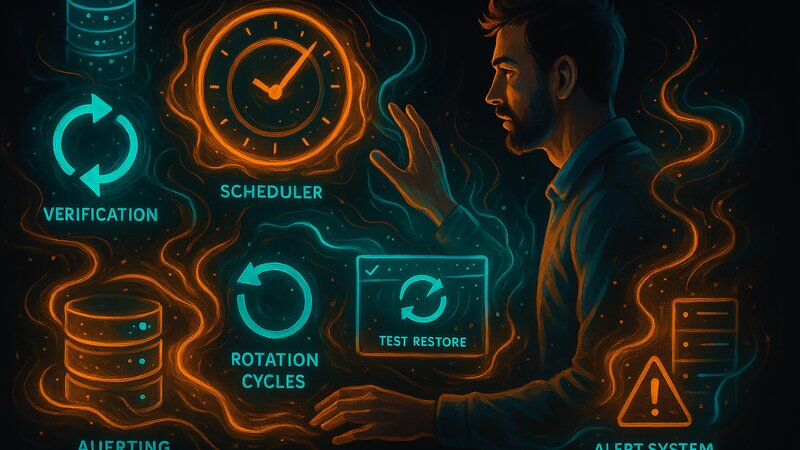
Automation and Verification: Reliable Backup Workflows
Technical Focus and Scope
The series focuses on distribution-independent backup concepts and universal principles. These fundamentals apply equally to Debian, OpenBSD, Arch Linux, and other Unix-like systems.
Core topics covered:
- The 3-2-1 backup rule and its practical implementation
- Storage media characteristics (SSD, HDD, NAS, cloud)
- Retention policies and generation management
- Encryption concepts and key management
- Automation principles and scheduling
- Verification mechanisms and test restores
Related fundamentals series:
These backup fundamentals provide the foundation for more specialized topics:
- Database Backups: PostgreSQL-specific strategies, MariaDB backup formats, SQLite backups
- Container Backups: Docker volume management, image backups, state persistence (planned)
- Monitoring Strategies: Backup monitoring, failure alerting, metrics collection (planned)
Distribution-specific implementations:
- Debian: Cron integration, systemd timers, APT snapshot management (planned)
- OpenBSD: rcctl-managed backups, rdist mechanisms, pf-protected backup transfers (planned)
- Arch: systemd timer configuration, Pacman hooks, btrfs snapshot integration (planned)
Typical Backup Scenarios
Systematic backup strategies enable staged recovery depending on the scenario:
Development environment (single server):
- Local: Daily database dumps on the server SSD (fast recovery)
- NAS: Weekly full backups to an external HDD (hardware failure protection)
- Off-site: Monthly encrypted backups to a VPS (site disaster protection)
Production environment (multiple servers):
- Local: Hourly incremental backups to a dedicated SSD on each server
- NAS: Daily consolidated backups to a RAID6 system (multiple redundancy)
- Off-site: Daily encrypted transfers to a geographically separate data center
- Cloud: Weekly archives to S3-compatible storage (long-term retention)
Compliance requirements:
- Annual archives for legal retention periods (7–10 years depending on the industry)
- Immutable backups (WORM principle) for tamper evidence
- Encrypted archives with key escrow for traceability
- Documented restore testing for audit compliance
Structural Continuity and Reference Function
The two articles build on each other systematically:
Article 1 explains WHAT and WHY (the 3-2-1 rule, storage media, concepts), while Article 2 explains HOW (automation, verification, error handling). However, each article also serves as a standalone reference.
Future database-specific backup guides refer directly to these fundamentals:
“The 3-2-1 rule from the Backup Fundamentals defines the minimum requirements for PostgreSQL backups.”
“The time-based execution concepts from Article 2—scheduler principles, coordination, and catch-up mechanisms—apply to automated pg_dump workflows.”
“The verification principles from the Backup Fundamentals—checksums and test restores—validate the integrity of database dumps.”
This structure avoids redundancy between the fundamentals and database-specific guides. The backup concepts provide a solid foundation for designing your own backup architectures, independent of specific tools or database systems.
Recovery Priority: A systematically tested backup system means digital sovereignty even after catastrophic failures. Data loss caused by missing backups is a permanent loss of sovereignty.